Introduction
Spending money. We do it nearly every day of our lives. It is a need for living in the modern world.
This is a project I have been working on for the past several years, very off and on. It is a fully customizable financial analyzer — built for and by myself.
I mainly started this project to
- capture my financial data from multiple sources and
- Didn’t like idea of financial data being held by 3rd party company
- Building tool to use for the long term
- Also just kinda fun to code J
- Financials will be a part of my life forever — why not invest the time to produce something of high quality for myself?
I'm fully aware companies are out there that do this stuff for you, but what if they shut down? Example: Mint.
Requirements
What work is required of this project?
- Python CLI application
- Data has to be loaded in “manually” (currently through .csv files) (this is the largest turn off for most users)
- SQLite backend, stored in a singular .db file
What capabilities do I want?
- By being in control of my data and software, I have more flexibility in performing the type of analysis I want to perform
- Wanted to be able to have very specific spending categories!!!
- Fast food vs. restaurants vs. grocery
- Niche tracking of shopping spending
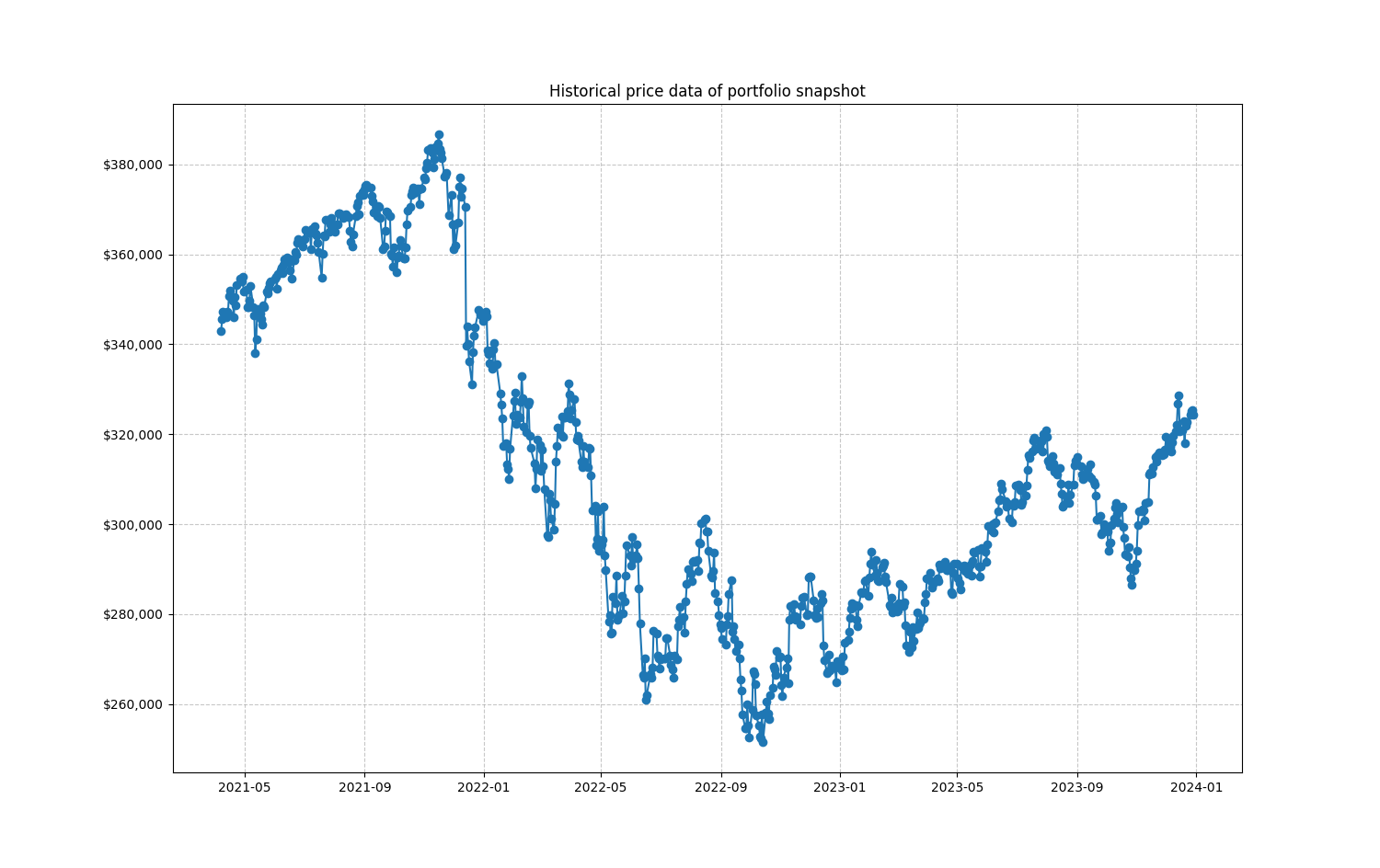
- Analysis on investments and account balances
Design
Sketches
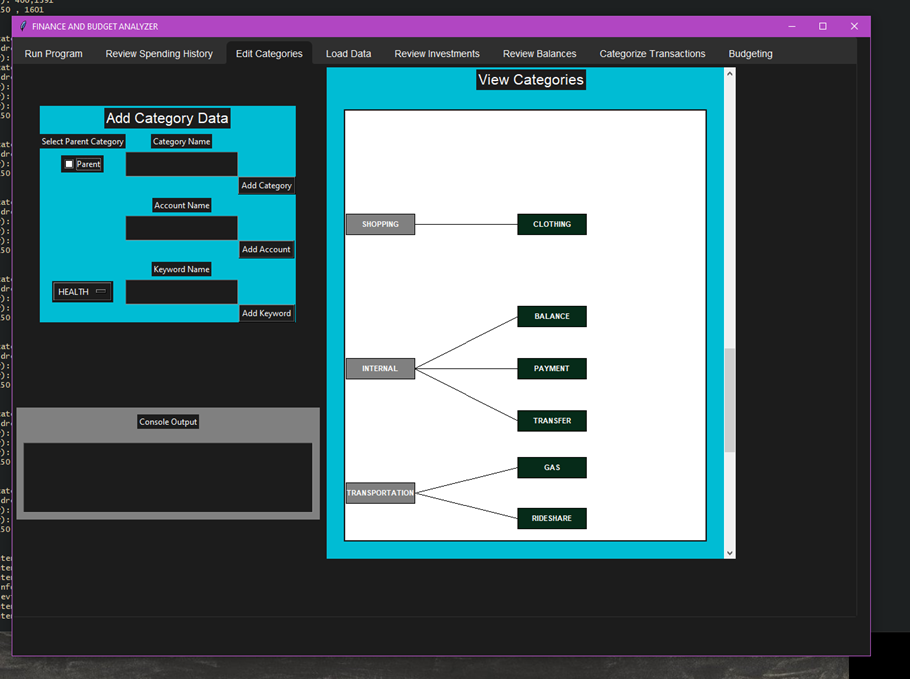
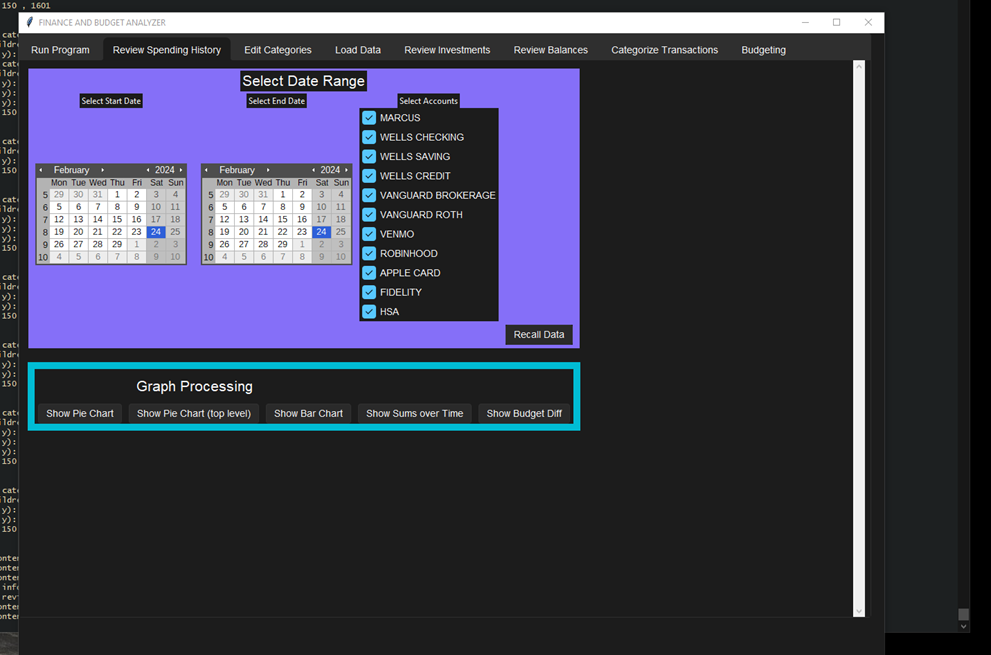
Early on I chose to use a GUI. I used the Tkinter framework. I got basic functionality working for many of the sub menus, although to a much lesser extent than the program state was today.\
Code infrastructure
The whole thing is written in Python. Most libraries used are fairly simple and lightweight. The two most notable dependencies are:
- yfinance (Yahoo Finance): Pulls live stock information for portfolio analysis
- prompt_toolkit: Provides a better CLI experience
SQL Organization
All financial data is stored in an SQLite database, kept in a single .db file that is easy to back up and manage.
Category Tree
The heart of the program is the category tree — composed of high-level "root" nodes that represent major expense categories (e.g., fast food, restaurants, groceries, shopping). Each root can have subcategories for granular tracking.
Data Loading
Data loading is tied to a specific folder structure set up on your machine. Currently, only .csv files are fully supported. PDF parsing has been attempted with some success, but is considerably more difficult.
Usage
Importing data
The general flow for usage goes like so. Data for each account is loaded in monthly segments, matching how most financial institutions structure their statements. In practice this only takes about 10–15 minutes — log into each account, download the transaction history (usually .csv format), and place it in the correct folder.
Example: Venmo
Venmo has the best download experience for this workflow:
- Select a specific statement month (rather than a confusing date range)
- Export filetype is .csv
Example: Wells Fargo (Details to be added)
Analysis features
Conclusion
In its current state, the program works well for someone with at least a little technical coding knowledge, who doesn't mind sparse documentation, and is willing to invest some effort into managing their finances with greater granularity than most off-the-shelf tools allow.
I've tried to have this program reach the masses, but I was not interested in maintaining an open-source community
add some details about the brief open source community here
Looking forward
- Improve code infrastructure for accounts — one file/class per account doesn't seem the most optimal
- Better documentation and onboarding for new users